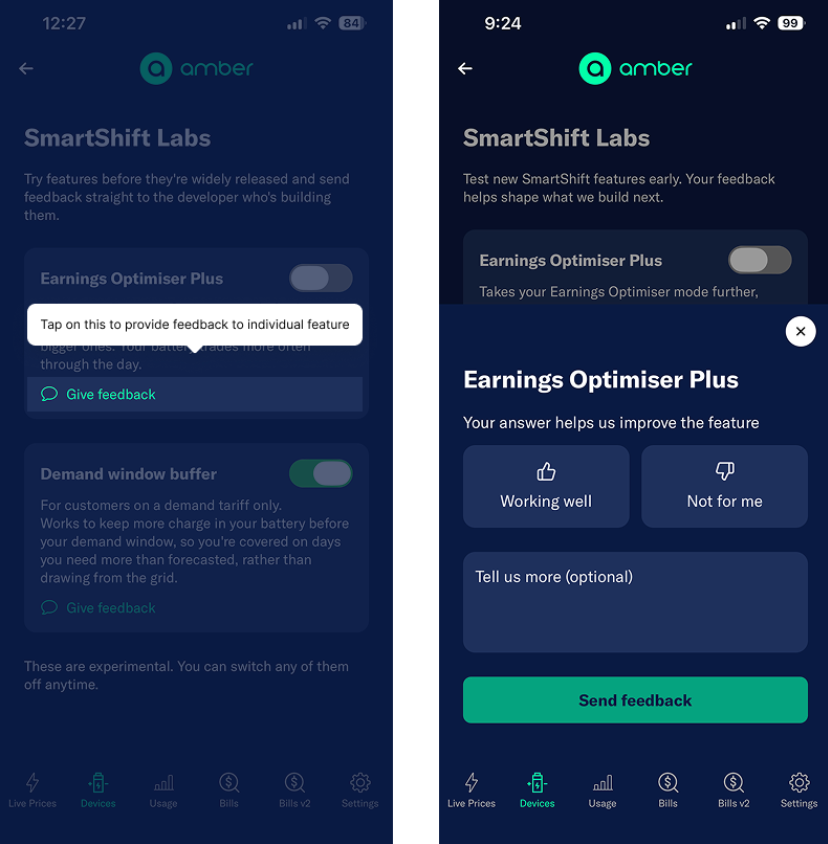
We’re constantly testing new ways to make SmartShift better, whether that’s finding more opportunities for your battery to earn, protecting you from expensive demand charges, or giving you more control over how your battery is automated.
Usually, that work happens behind the scenes. SmartShift Labs gives you a way to get involved earlier.
Labs is a new space in the Amber app where you can try some of the features we’re testing before they become part of the wider SmartShift experience. Some might graduate into permanent features, some might change significantly, and others might not make the cut.
You can turn Labs features on or off whenever you like, and tell us what you think as you use them. That feedback goes directly into what we build next.
What’s in SmartShift Labs today
We’re kicking things off with two features.
Earnings Optimiser Plus
Earnings Optimiser Plus is for customers who want SmartShift to be a little more active in chasing opportunities for their battery to earn.
Our standard Earnings Optimiser mode is designed to prioritise the stronger opportunities to buy and sell energy. Earnings Optimiser Plus lowers that threshold, allowing your battery to act on smaller opportunities and potentially trade more often throughout the day.
That means your battery may work harder and, on some days, find more opportunities to earn. How much difference it makes will depend on your battery, energy use and what’s happening in the wholesale market.
That’s exactly why it’s in Labs. We want to see how it performs across different homes and hear from the people actually using it.
You can give it a go and switch back to standard Earnings Optimiser whenever you like.
Demand window buffer
For customers on a demand tariff only.
This one might look familiar if you caught our SmartShift update in August.
Demand tariffs work differently from standard electricity tariffs because how much power you draw from the grid during a particular window can affect what you pay. That makes having enough energy in your battery during that window especially important.
In August, we introduced a new buffer designed to get batteries to at least 80% state of charge before the demand window begins.
We built it to account for the days when our load forecast predicts relatively low consumption, but your household ends up using more energy than expected. Without enough charge in the battery, that extra demand could mean drawing more power from the grid during the demand window.
The buffer gives SmartShift some extra room for those days.
It doesn’t mean blindly charging your battery to 80% every day. If your battery was already going to reach that level through solar or in preparation for a forecast price spike, nothing changes. And wholesale price opportunities still take priority:
- SmartShift won’t charge your battery to 80% during a price spike just to hit the target.
- If prices spike during the demand window, your battery can still discharge to the grid.
You might notice a little more charging through the middle of the day and less exporting during your demand window when prices are low.
The feature has already been running quietly in the background for customers on demand tariffs. Now, through SmartShift Labs, you can actually see it in the app and choose whether you want it switched on.
Learn more by clicking here.
How to find SmartShift Labs
Open the Amber app, head to Devices, then SmartShift settings, and tap SmartShift Labs.
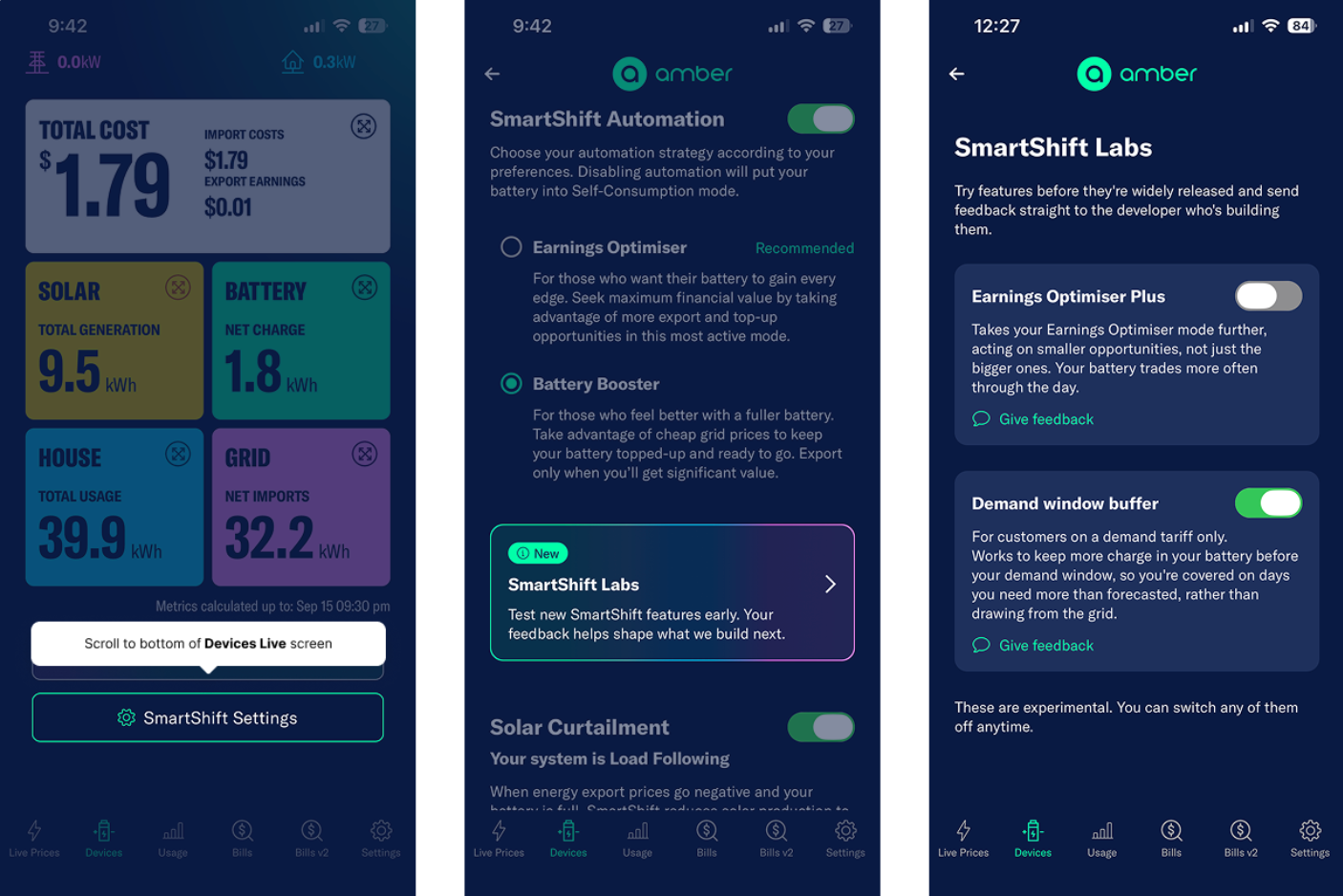
From there, you can see which experimental features are available to you, learn more about what they do and switch them on or off.
Help us make SmartShift better
The point of Labs isn’t just to give you early access. It gives us a way to build SmartShift with the people using it every day.
Each Labs feature has a feedback option, so tell us what worked, what didn’t, what surprised you, or what you’d change.
We’ll be using that feedback alongside what we’re seeing in the data to decide what we tweak, what we keep and what we build next.